Facebook Marketplace Listing Tool for Car Dealers
Post every car on your lot to Facebook Marketplace faster with AutoPost. Vehicle details and photos fill in automatically, straight from your dealership website.
One click from your lot to Facebook Marketplace.
AutoPost is a Chrome extension that turns your dealership's inventory into Facebook Marketplace listings. It adds an AutoPost button to every vehicle on your dealership website. Click it, and AutoPost opens Facebook Marketplace and fills in the listing for you: the photos, year, make, model, mileage, price and a written description.
You still read every listing and press Publish yourself. AutoPost handles the copying, the photo saving and the typing, which is the part that eats up a salesperson's day.
Once your cars are up, AutoPost keeps track of them too. It shows you what's posted, what's due for a repost and what's sold so your Marketplace listings stay in step with your lot.
Four steps. About a minute a car.
Send us your dealership website when you sign up and we set AutoPost up for it by hand†. After that, posting looks like this.
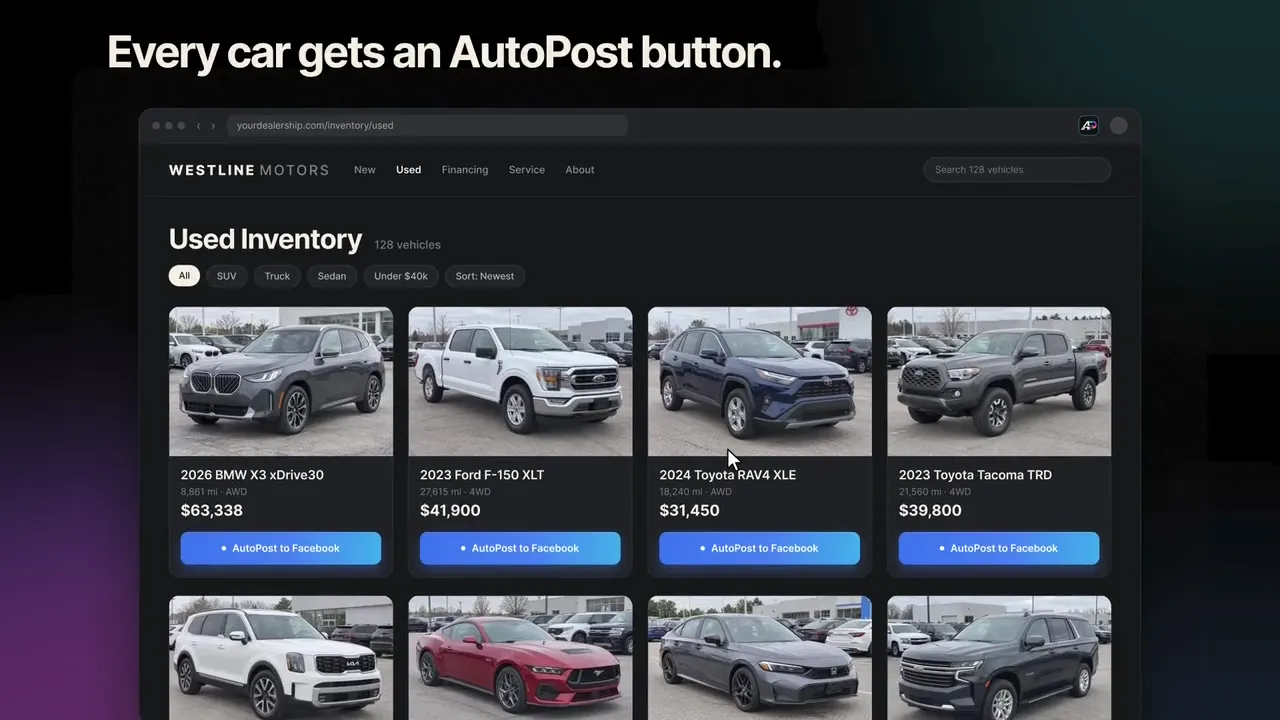
Every car on your website gets an AutoPost button
Browse your dealership's inventory like you always do. AutoPost adds a button to each vehicle on your inventory pages.
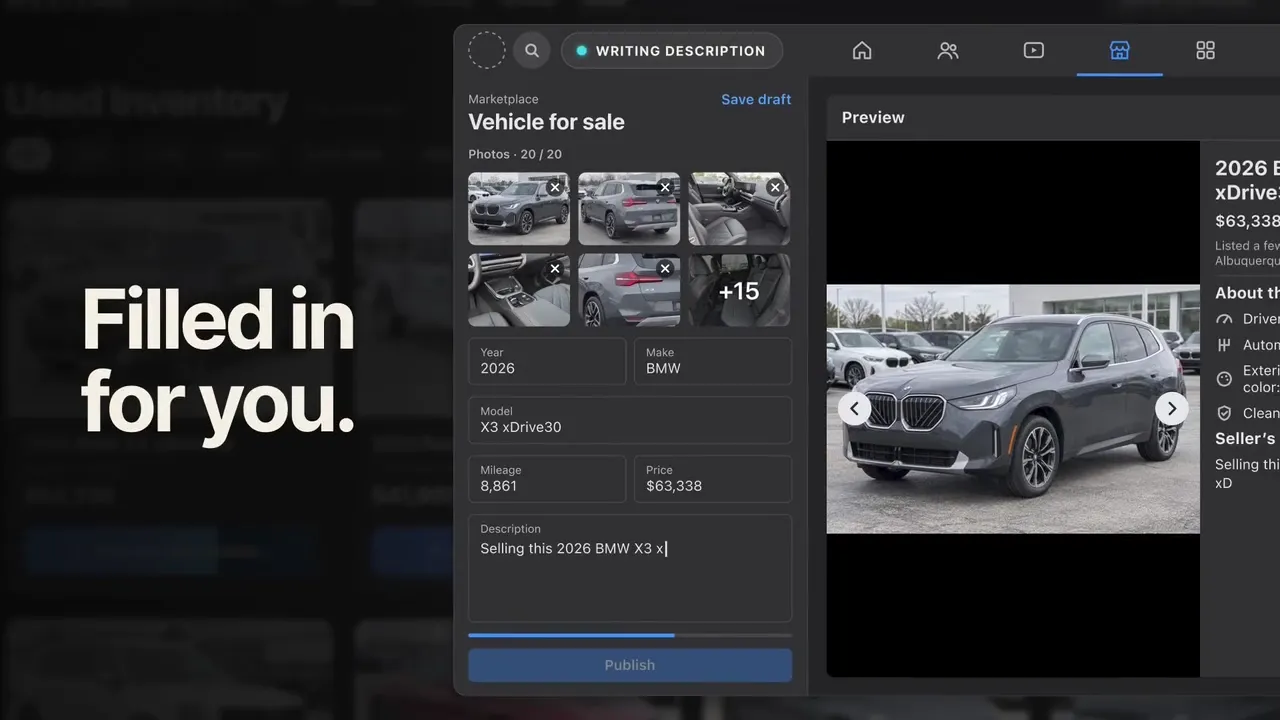
The Marketplace listing fills itself in
Click the button and AutoPost opens Facebook Marketplace, uploads the vehicle's photos and fills in the year, make, model, mileage, price and description, all pulled from your website.
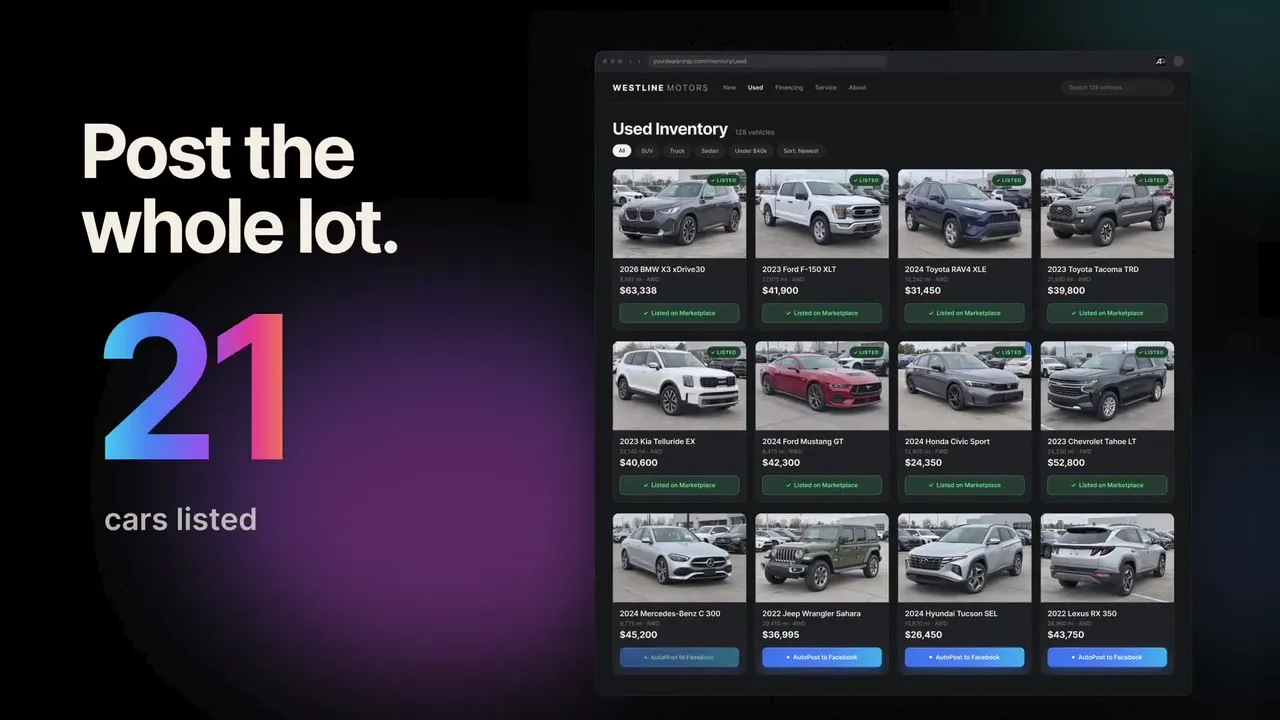
Review, publish, next car
Read it over, change anything you want and press Publish. Nothing goes live without you. Then head back to your inventory and do the next one. There's no limit on how many cars you post.
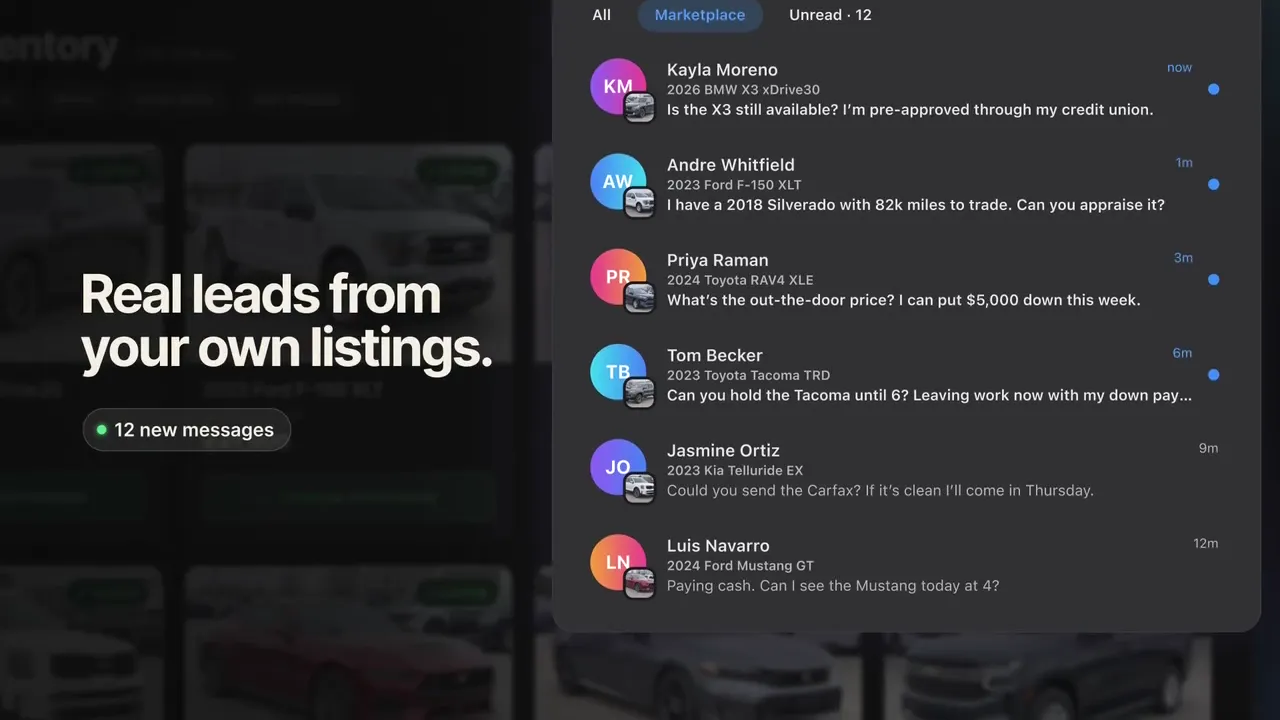
Buyers message you directly
Your listings go up on your own Facebook account, so buyer questions come straight to your Messenger. More cars listed means more chances for someone to reach out.
Built for the person doing the posting.
Most salespeople post to Marketplace on their own time, between customers. AutoPost is built to make that part of the job quick.
No more saving photos one by one
AutoPost pulls the vehicle's photos from your dealership website and puts them in the listing for you.
No more typing out every listing
Year, make, model, mileage and price come straight from the website, and the description is written for you.
Your account, your leads
You post from your own Facebook account, so the buyers who message are yours to work.
Thirty dollars, not a dealership budget
$30 a month per person, no contract. Priced so a salesperson can pay for it on their own.
Get the whole lot in front of local buyers.
Managers and inventory teams want every car on Marketplace, with listings that match the website. AutoPost works from the inventory you already publish.
Set up for your website by hand
Every dealership website is different, so we tune AutoPost to yours instead of hoping a template fits. Setup is easy, and it only takes 5–7 days.
Listings that match your website
Because the details come from your own site, the price, mileage and photos on Marketplace match what's on your lot.
Team access
Bringing several salespeople? We set up team access for stores with multiple people posting. Request a call.
Sold cars don't linger
When a car comes off your website, AutoPost flags it so your salespeople can take the Facebook listing down.
By hand vs. with AutoPost.
Posting a car to Marketplace by hand can take around ten minutes once you count the photos. Here's where that time goes, and what AutoPost does instead.
Posting by hand
- Save each photo from the website, one at a time
- Upload them to Facebook and put them in order
- Type the year, make, model, mileage and price
- Write a description from scratch
- Remember which cars you posted, and when
- Find out a car sold when a buyer asks about it
With AutoPost
- Photos pulled from the website for you
- Uploaded into the listing automatically
- Vehicle details filled in from the website
- Description written for you
- Every posted car tracked with its date
- Sold cars flagged so you can delete the listing
Know what's posted. What to repost. What to delete.
AutoPost keeps a record of every car you post and checks your dealership's website every few hours. Open the extension and three tabs tell you what needs doing.
See everything you've posted
Every car you've listed, with the date it went up and how many days it's been live.
Know when to repost
Cars that have been up 15 days and are still on your lot get flagged. One click posts them again with the current photos and details.
Know when to delete
When a car comes off your dealership's website, AutoPost moves it to Removed and opens your Facebook listings so you can take it down.
Thirty dollars. That's it.
About a dollar a day, per salesperson. One deal covers the year.
Everything you need to post dealership inventory to Facebook Marketplace faster.
- Unlimited vehicle postings
- Photos pulled in automatically
- Descriptions written for you
- Set up for your dealership's website†
- Review before you post
- Tells you what to repost and delete
† Setup is easy and only takes 5–7 days from signup. If your dealership's website is unusually complicated we'll tell you up front instead of leaving you waiting.
Questions dealers ask. Straight answers.
Post more cars. Get more leads.
$30 a month. No setup fee. Cancel anytime.